Home / Mat Room Planner
iPad & Mac app
Mat Room Planner
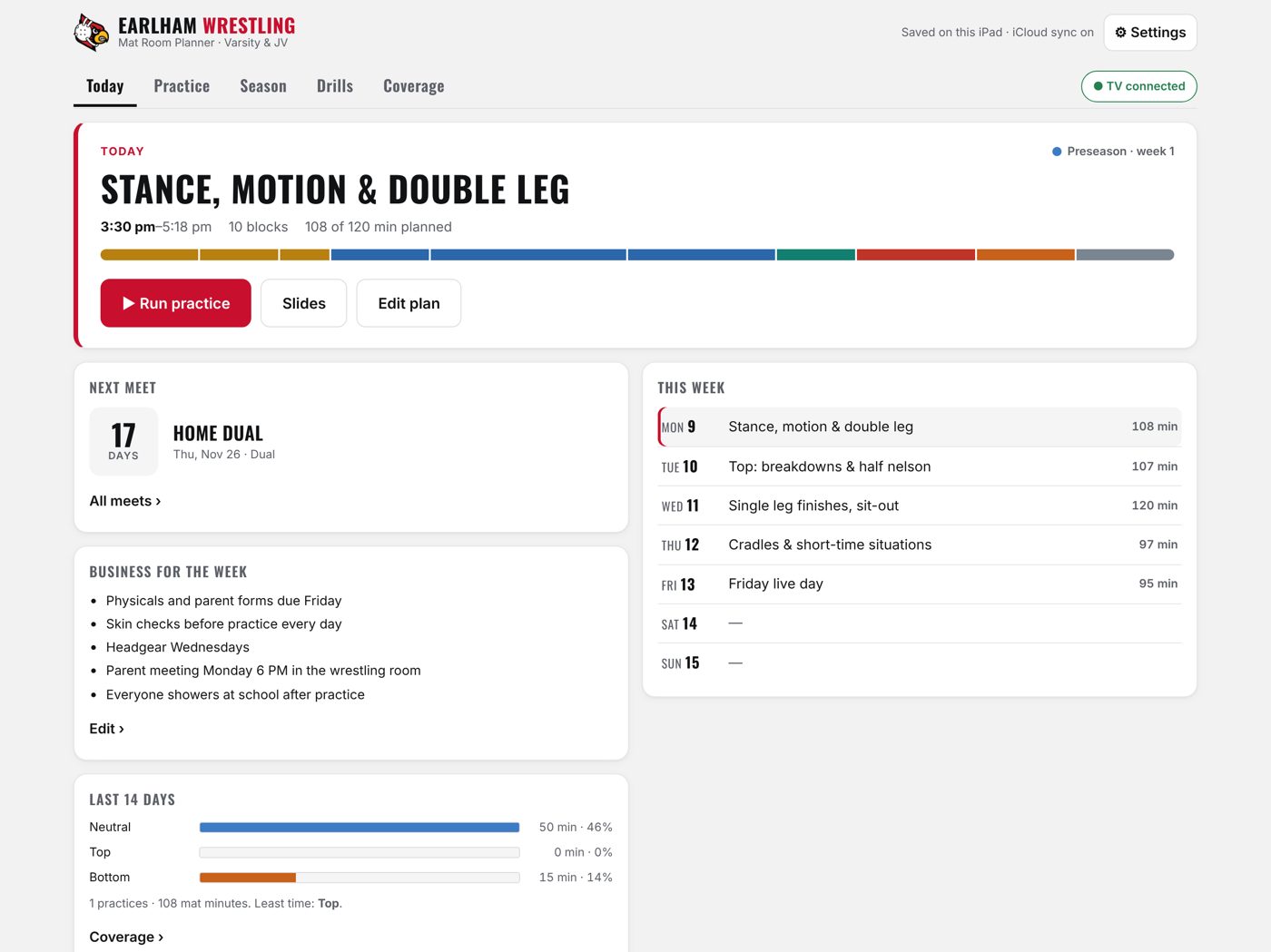
Plan wrestling practices on your iPad or Mac and show them on the wrestling-room TV.
What it does
- Plan practices in sections: Business, Warm-up, Drilling, Technique, Live, Conditioning and Cool-down. Drag drills in from your drill library.
- Show it on the TV. Connect the iPad to an Apple TV with Screen Mirroring. The TV shows clean slides while the iPad keeps the planner.
- Run practice with a big block-by-block screen. Timers are optional, so you can keep using your own interval timer.
- Sync with your calendar so practices, meets and bus times fill in on their own.
- Share with your staff so assistant coaches can plan with you.
Getting started
- Open the app. Sample practices load so you can look around. Tap Clear samples when you’re ready to start your own.
- On the Practice tab, pick a day and choose Standard 2-hour plan or Blank.
- Drag drills from the library into a section, or tap + Add in a section.
- Type this week’s announcements in the Business section. They show on the first TV slide all week.
Showing slides on the TV
- Open Mat Room Planner first.
- Open Control Center and tap Screen Mirroring, then pick your Apple TV.
- The TV shows the slides; the iPad stays on the planner. Use Slides or Run practice to move through them.
If the edges of the picture are cut off, set your TV’s picture size to “Just Scan” or “Fit to Screen”. For sound through a Bluetooth speaker, pair the speaker with the Apple TV (Settings › Remotes and Devices › Bluetooth).
Calendar sync
In Season › Calendar sync, choose the calendar that holds your schedule.
- Events with the word Practice become practice days at that start time. “No Practice” or “Practice Canceled” marks a day off.
- Other events become meets. Put the bus time in the event notes, like Bus leaves 2:45.
- Tap Sync now after changing the calendar.
Sharing with your staff
In Settings › Share with staff, invite a coach by text or email. They install Mat Room Planner on their iPad from the App Store, tap your invite, and you both edit the same plans. Changes show up on each device within about 30 seconds.
Requirements
- iPad with iPadOS 17 or later, or a Mac with macOS 14 Sonoma or later
- iCloud (optional) to sync your iPad and Mac and to share with staff
- Apple TV with AirPlay (optional) for the wrestling-room TV
Questions?
Email [email protected] and Coach Strandberg will get back to you.